In most teams, productivity problems don't show up all at once. They build quietly: missed deadlines here, rework there, too many "quick" calls, too little deep work. By the time the month ends, you feel the slowdown—but it's hard to pinpoint why.
That's exactly why daily tracking matters.
Daily employee productivity metrics give you early signals. Not to control people—but to spot blockers, reduce wasted time, and make work smoother. The best teams don't obsess over "busyness." They track a small set of workforce productivity metrics that connect effort to outcomes.
In this blog, you'll learn which productivity metrics to measure every day, how to use them ethically, and how to turn the numbers into better results (not more pressure).
What makes a "good" daily productivity metric?
A good daily metric is:
- Fast to capture (no long manual reporting)
- Actionable (you can do something about it today)
- Comparable (across days, projects, or team members fairly)
- Balanced (doesn't reward "looking busy")
Also, don't track only lagging signals (like monthly revenue). Daily metrics should include leading indicators—things that predict strong outcomes.
One more point: for knowledge work, interruptions and meeting overload can destroy focus. Research from Microsoft highlights how modern work is shaped by constant pings and meeting-heavy calendars, which reduces time for deep focus. That's why the best employee productivity metrics include focus and flow, not just hours.
The 10 employee productivity metrics to measure daily
1) Output completed (daily deliverables)
What to measure: tasks completed, tickets closed, deliverables shipped, orders processed
Why it matters: it's the simplest daily signal of real progress
How to track daily (simple):
- Count completed items, not "in progress"
- Track per role (support tickets vs. design deliverables vs. code reviews)
Tip: Pair output with quality (next metric), otherwise you risk "speed over substance."
2) Quality of work (rework rate)
What to measure: number of revisions, reopen rate, QA bugs, returned work
Why it matters: output without quality creates hidden cost
Examples:
- Support: % tickets reopened
- Content: edits per article
- Ops: error rate per batch
- Dev: bug regressions or failed changes
A practical view: productivity is value created per input, so quality is part of the value.
3) Time on productive work vs. overhead
What to measure: time spent on core tasks vs. meetings/admin/status updates
Why it matters: many teams lose their best hours to overhead
Daily tracking should answer:
- How much time went into execution?
- How much time went into coordination?
Microsoft reports that meeting-heavy schedules often collide with natural productivity peaks, leaving less room for deep focus.
4) Focus time (deep work blocks)
What to measure: uninterrupted work blocks (e.g., 60–120 minutes)
Why it matters: deep work is where high-quality output is produced
Daily benchmark ideas:
- 1–2 focus blocks/day for makers (developers, designers, writers)
- 30–60 mins/day for managers (depending on meeting load)
This is one of the most overlooked workforce productivity metrics and one of the most powerful.
5) Task cycle time (start → done)
What to measure: how long tasks take once started
Why it matters: cycle time exposes bottlenecks and "stuck" work
Daily view:
- Which tasks are aging?
- What's waiting on approvals?
- Where do handoffs slow down?
A daily "aging tasks" check can prevent week-long delays.
6) On-time rate (daily deadline adherence)
What to measure: tasks due today vs. completed today
Why it matters: reliability builds trust across the team
Keep it fair:
- Don't punish realistic changes in priority
- Do flag repeated patterns (constant late delivery)
This metric becomes even more important for remote teams, where visibility is limited.
7) Capacity utilization (healthy, not maxed out)
What to measure: planned work hours vs. actual work hours; workload saturation
Why it matters: fully maxed utilization looks "efficient" but causes burnout and quality drops
A healthy daily utilization check helps you:
- rebalance tasks across the team
- prevent overload
- reduce last-minute fire drills
8) Collaboration health (handoffs + response time)
What to measure: response time for blockers, review turnaround, dependency wait time
Why it matters: team productivity is often limited by the slowest handoff
Daily questions to answer:
- Are approvals stuck?
- Are reviews taking too long?
- Are messages being answered within a reasonable window?
This metric is about flow, not surveillance.
9) Productivity-to-activity ratio (avoid vanity metrics)
What to measure: completed outcomes vs. raw activity
Why it matters: activity can be misleading
Vanity signals (use carefully):
- keyboard/mouse activity
- number of apps used
- "online" time
If you track activity at all, treat it as a supporting signal not the goal. SHRM has long advised caution around monitoring practices—measure what helps performance, not what erodes trust.
10) Customer impact (daily satisfaction signal)
What to measure: CSAT, NPS snippets, complaint count, positive mentions
Why it matters: productivity should improve outcomes, not just throughput
Even one daily customer metric keeps the team aligned with real value.
How to track daily metrics without micromanaging
Here's a simple operating system that works:
-
Pick 5–7 core metrics
- 2 outcome metrics (output + quality)
- 2 speed metrics (cycle time + on-time rate)
- 1 focus metric (deep work blocks)
- 1 collaboration metric (handoff/review time)
- Optional: customer impact
-
Create a daily "signal check"
- 10 minutes, same time every day
- Look for spikes, drops, and stuck work
- Ask: "What's blocking progress?"
-
Use metrics to remove friction
- If cycle time rises → reduce approvals or clarify requirements
- If quality drops → improve checklists, QA, training
- If focus time falls → reduce meeting load or set no-meeting blocks
-
Keep it transparent
- Tell the team what you measure and why
- Share insights and improvements, not just dashboards
Where TeamTreck fits in (practical daily tracking)
To make daily tracking realistic, you need data you can trust—without forcing people to manually report every hour.
That's where TeamTreck-style visibility helps, especially for remote or distributed teams:
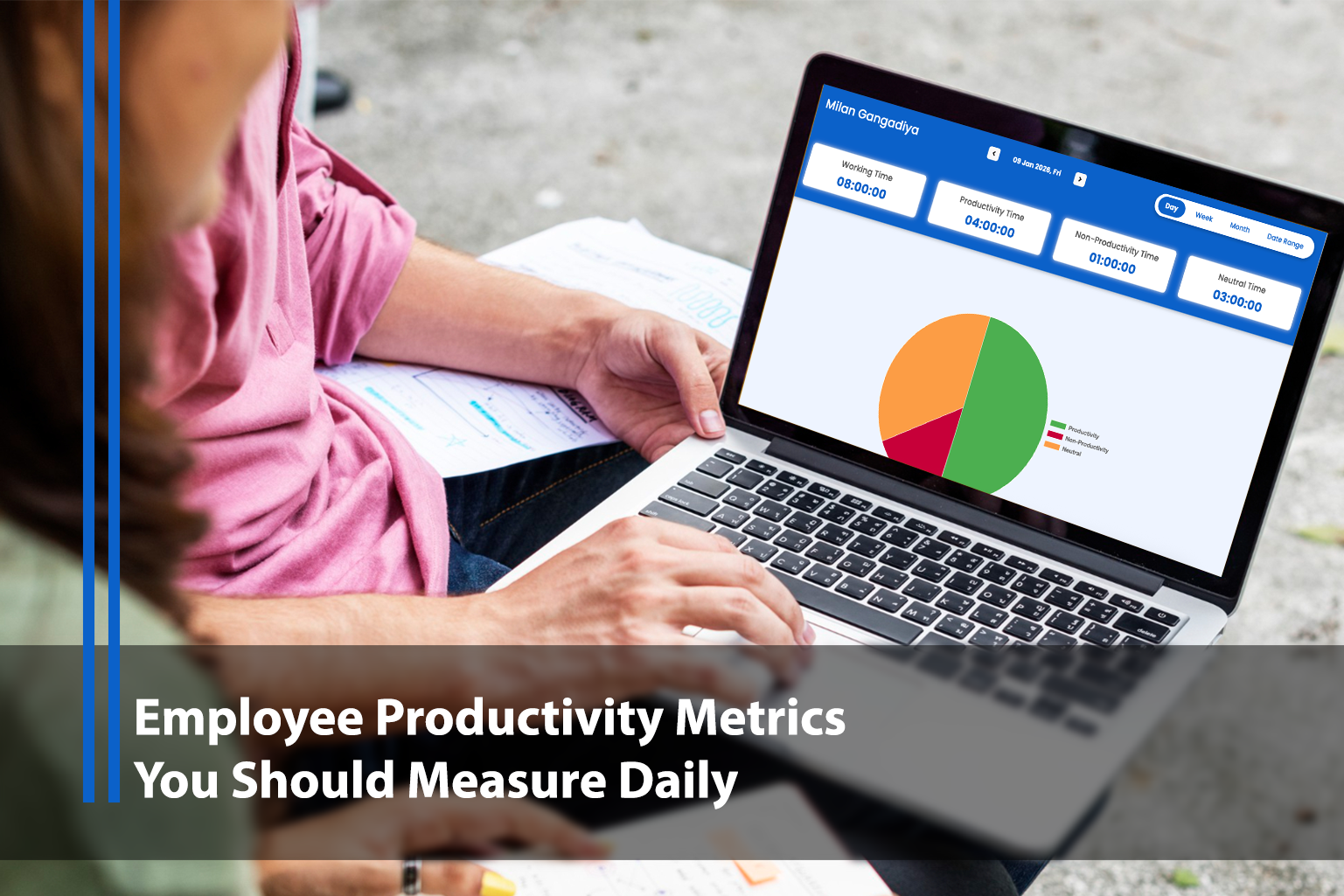
- Time tracking to understand execution vs. overhead
- Productivity insights to identify patterns and bottlenecks
- App/website usage insights to support workflow improvements
- Optional monitoring signals (used ethically and transparently) to prevent blind spots
The goal isn't "watching people." It's answering practical questions like:
- Are we spending too much time in meetings?
- Why are tasks getting stuck?
- Where is rework coming from?
- Which processes create delays?
When your daily workforce productivity metrics are clear, managers stop chasing updates and teams get more space to do real work.
Common mistakes to avoid (so your metrics actually improve productivity)
- Measuring only hours: hours don't equal output.
- Rewarding speed alone: speed without quality increases rework.
- Overtracking: too many metrics = no focus.
- Using surveillance as a substitute for leadership: trust and clarity beat monitoring.
- Ignoring context: a slow day may be training, onboarding, or problem-solving.
If a metric causes anxiety or gaming, redesign it.
Final checklist: your daily employee productivity metrics starter set
If you want a clean, high-signal setup, start with:
- Output completed (deliverables done)
- Quality / rework rate
- Task cycle time
- On-time rate
- Focus time (deep work blocks)
- Collaboration delays (handoffs/reviews)
- Customer impact signal (CSAT/complaints)
That's enough to run a daily productivity system that improves performance without turning work into a pressure cooker.